How to convert iPod Touch into iPad
By Usman Aziz | February 1st, 2010Apple iPad is out now and quite frankly, its an oversized iPod Touch except the new changes in the iPhone OS 3.2. Here is a simple method that you can use to turn your iPod Touch or iPhone into an iPad.
Before you proceed, make sure your iPod Touch is jailbroken. You can follow this simple guide to jailbreak your iPod Touch OS 3.1.2 using blackra1n.
First you need to download some packages from the Cydia app store, so connect to a Wi-Fi access point. Now search and install the following free packages.
1) Go to Cydia app store, search for Winterboard and install it.


2) Now add https://apt.modmyi.com to your sources search “Simple iPad Theme”. Install this theme.

3) In order to change your “iPod” logo to “iPad”, search and install “MakeitMine”.

4) The iPad has reduced size for icons. To reduce icon size, add https://repo.beyouriphone.com/ as source and search for “Shrink”. Install the free version of this package.

5) Now search and install three application from the Apple App Store that are available freely. These apps are “New York Times”, “Kindle for iPhone” and “Classics”.

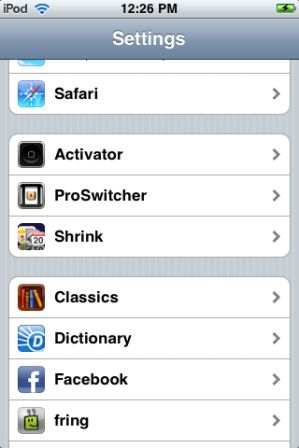
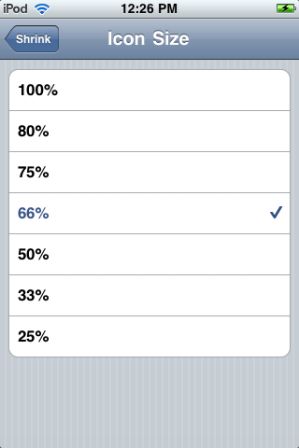
Now go to settings, and open the “Shrink” Menu. From here, change your icon size from 100% to 66% and Respring. This will resize the icons to match iPad icon size.
|
|
|
Open the “MakeitMine” app and enter iPad as a new carrier. This will replace your iPod carrier logo. This trick will also work for iPhone.

Finally, go to WinterBoard and activate the “Simple iPad Theme”. This will replace your current theme with the default iPad Theme.

Now you are all set! You can now enjoy the iPad theme and the included iBooks (Classics) and Amazon Kindle apps. This setup works flawlessly.

Please share with us if this trick worked with you.